Without ouFly A regular weather app
- 01Wind: 11 mph
- 02Direction: north-west
- 03Gusts: 17 mph
- 04Rain: 0 mm
Verdict You do the interpretation
Model aviation · RC glider & airplane
For RC glider and airplane pilots. Fly-Check combines wind, gusts, rain and each field's orientation to show where conditions are favorable — today and over the next 7 days.
Le Moulin de Cande
↗Glider
Favorable conditions
Well-oriented wind, no rain
Two spots a few miles apart can require completely different wind directions. That is where Fly-Check changes the decision.
A clear decision, then all your flight planning in one place.
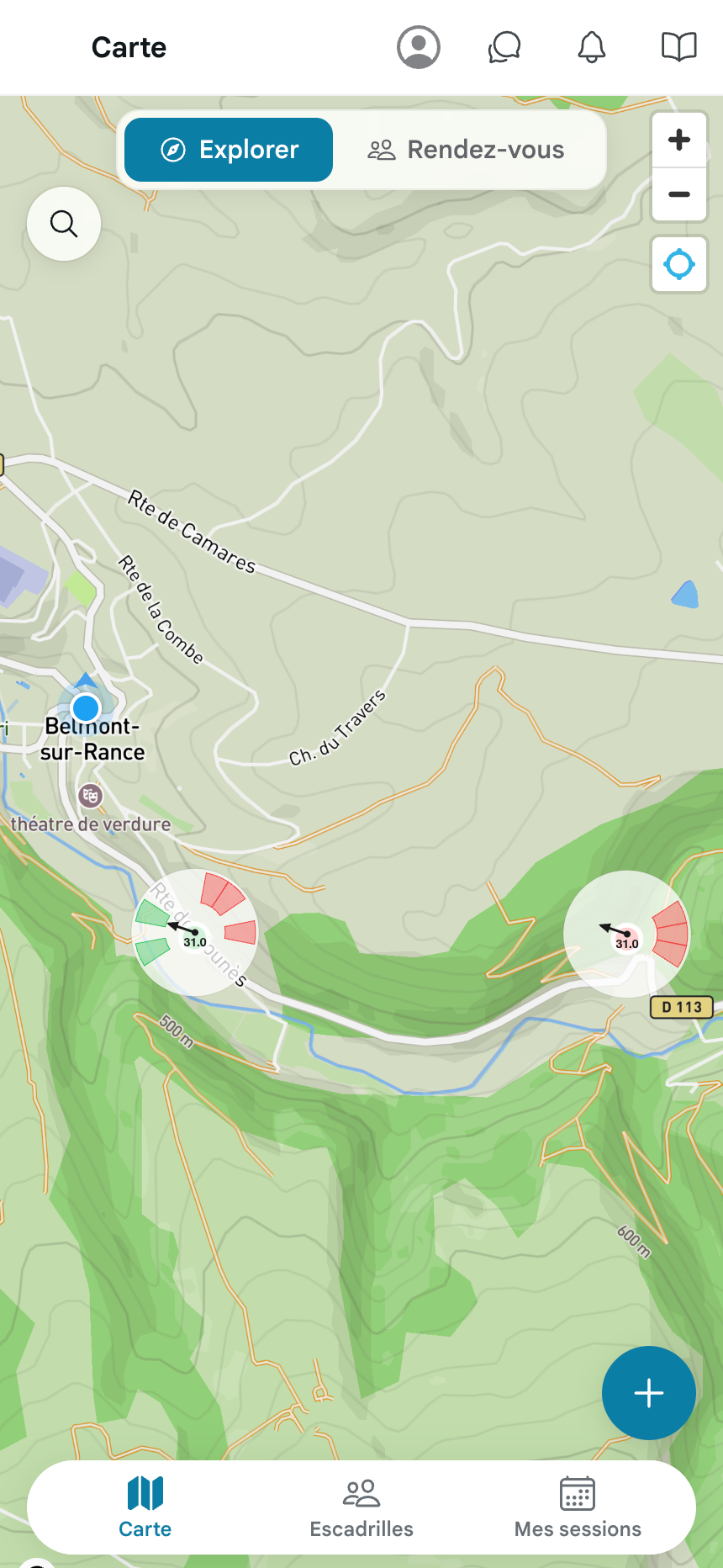
Open the map and find spots around you. Colors show you the conditions.
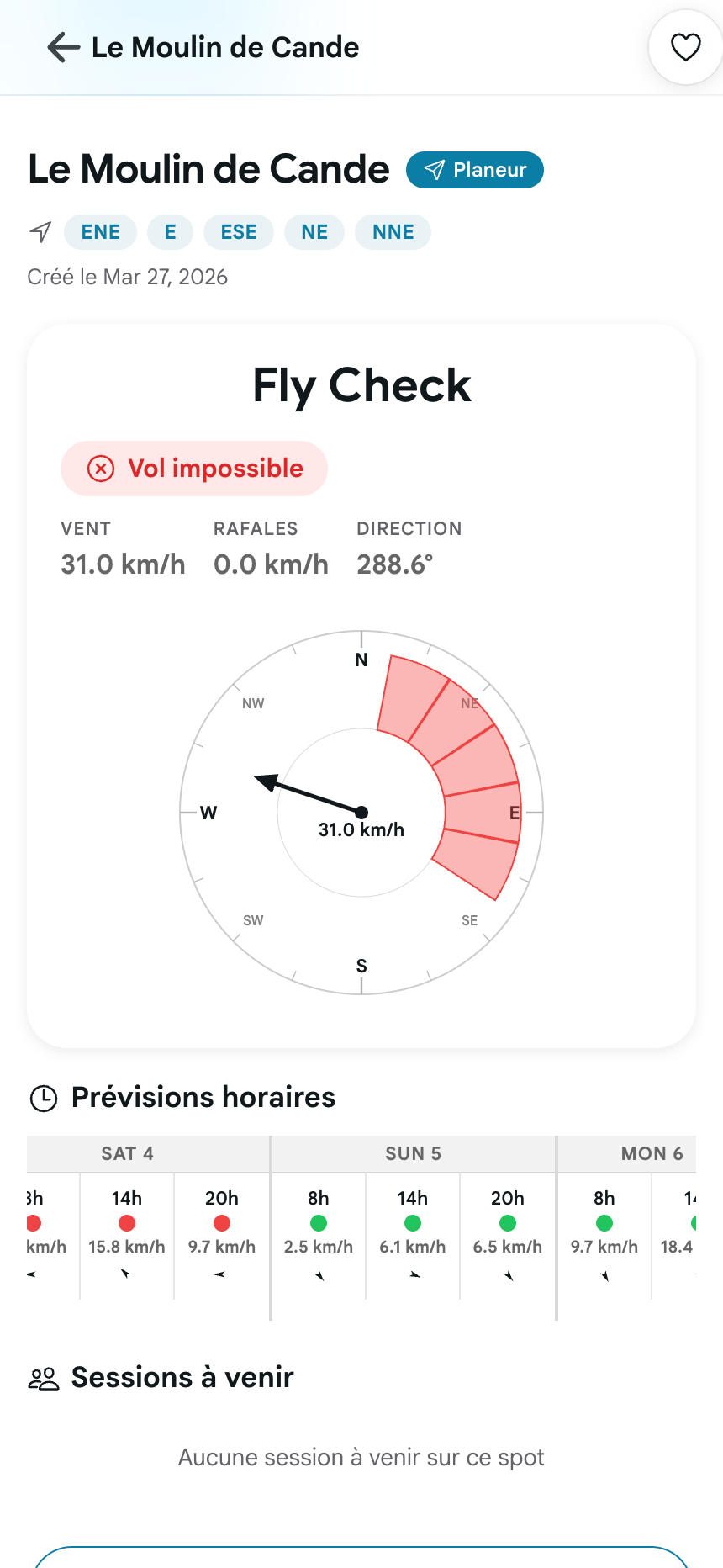
Green? Let's go. Red? Wait for a better day. Fly-Check does the math for you.
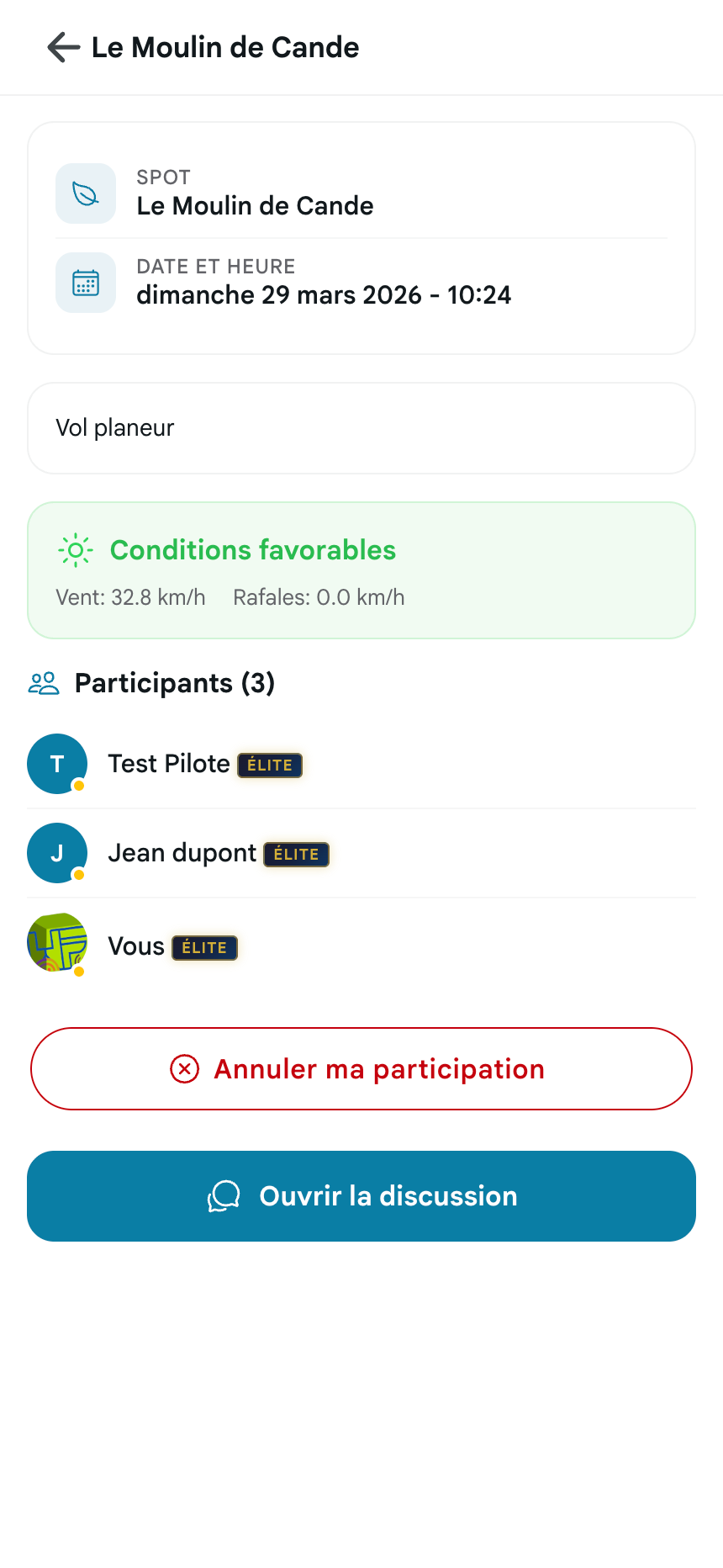
Create or join an organized flight. Your friends get notified, and the chat is ready.
Our algorithm cross-references wind speed and direction with each slope's exact orientation. Result: a simple Green / Red indicator, in real-time and for 7 days ahead.
Browse public spots or fields shared by your squadron. Map markers immediately show the conditions calculated for each field.
Create flight sessions, invite your friends, chat in real time. Squadrons replace your messy WhatsApp groups.
Start free, go Pro when you're ready.
Discover ouFly and taste the experience.
Total flexibility, cancel anytime you want.
€11.99
Launch rate
The most economical offer for enthusiasts.
€79.99
equivalent to €4.17 / month
VIP Price
Launch pricing reserved for early members · No commitment · Cancel anytime
Everything you need to know before your first Fly-Check.
ouFly is an installable web app. Open it in your browser and choose “Add to Home Screen”. It will then open like a regular app, without using an app store.
Yes, you can cancel your subscription at any time directly from your account settings.
It's a group of pilots (friends, club...) that allows you to organize, chat, and see who is flying where in real time.
A session is a planned meetup at a spot. You indicate your arrival time so other pilots can join you.
Spots are model aviation fields listed with their location, discipline and favorable orientations. ouFly uses these orientations to calculate the weather Fly-Check.
An ambassador is a certified pilot who helps moderate photos and spots. This role is reserved for selected yearly subscribers and grants a special unique badge.
Fly-Check uses professional weather data updated in real time. It cross-references wind speed and direction with each spot's orientation to give a Go/No-Go verdict. It's a decision-support tool — the responsibility for flying always remains with the pilot.
By default, spots are public and visible to the entire community. You can also create private spots, visible only to members of your squadron.
ouFly is a Progressive Web App (PWA). Weather data and maps require an internet connection. Once loaded, some information remains accessible offline.
Open the map, choose a spot and check today's Fly-Check for free.
Try ouFly for freeNo credit card · Create your account in under a minute